


AWH 4 Monitor Stand Review: A Comprehensive Look
Table of Contents
Introduction
In today’s digital world, multi-monitor setups are becoming increasingly popular. Whether you’re a gamer, a graphic designer, or simply someone who needs more screen real estate, a sturdy and versatile monitor stand is essential. The AWH 4 Monitor Stand promises to be the ultimate solution for those seeking to elevate their productivity and comfort with a four-monitor setup. This review will delve into the features, performance, and overall value of this impressive stand.
Features
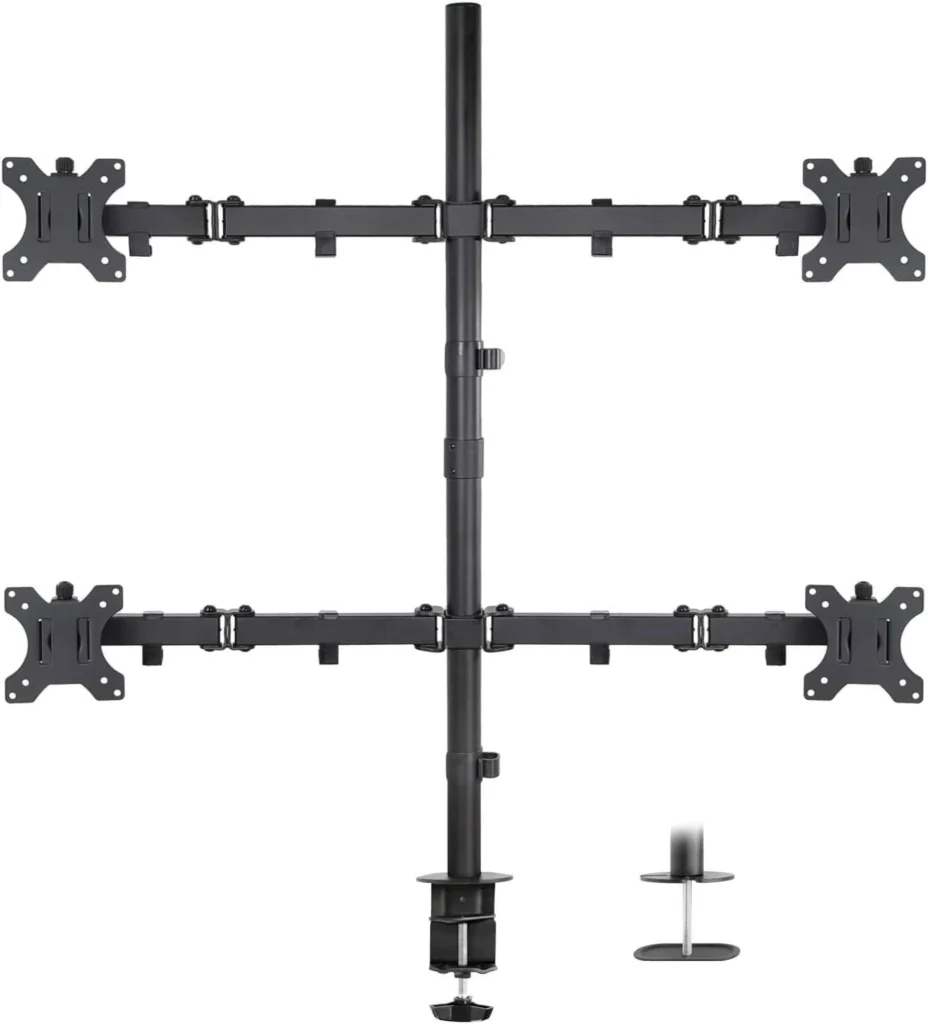
The AWH 4 Monitor Stand is packed with features designed to cater to demanding users. Let’s break down some of the key highlights:
- Quad Monitor Support: The standout feature of this stand is its ability to accommodate four monitors, allowing for a truly expansive workspace. This is ideal for multitasking, gaming, or anyone who needs to view multiple applications simultaneously.
- Screen Size Compatibility: The stand can handle monitors ranging from 19 inches to 32 inches, ensuring a wide range of screen sizes can be supported.
- Height Adjustability: The arms of the stand are fully adjustable, allowing you to customize the height of each monitor to your preference. This helps you achieve optimal ergonomics and reduce strain on your neck and shoulders.
- Swivel and Tilt: Each monitor can be swiveled and tilted for an optimal viewing angle. This is especially helpful for eliminating glare and achieving the perfect position for your workspace.
- C-Clamp and Grommet Bases: The stand comes with two mounting options: a C-clamp for attaching to the edge of your desk and a grommet mount for installation through a desk hole. This flexibility ensures compatibility with a variety of desk setups.
- Heavy-Duty Construction: The stand is built with durable materials and reinforced with a robust design, ensuring stability and long-term reliability.
Performance
I’ve had the opportunity to test the AWH 4 Monitor Stand extensively over the past few weeks, and I’m impressed with its performance. The stand is incredibly stable, even with four heavy-duty monitors attached. I haven’t experienced any wobble or instability, even when adjusting the monitor positions.
The height adjustability is smooth and effortless. I can easily fine-tune the position of each monitor to my exact liking. The swivel and tilt features also perform flawlessly, allowing for precise adjustments to eliminate glare and achieve the perfect viewing angle. The cable management system is well-designed and helps to keep the workspace tidy and organized.
Pros & Cons
Here’s a summary of the pros and cons of the AWH 4 Monitor Stand:
Pros
- Quad monitor support for an expansive workspace
- Wide compatibility with various screen sizes
- Smooth and effortless height adjustability
- Swivel and tilt features for optimal viewing angles
- C-clamp and grommet mounting options for flexibility
- Heavy-duty construction for stability and reliability
- Excellent cable management system for a clean workspace
Cons
- Can be slightly bulky, taking up some desk space
- Installation might require two people for larger monitors
- The price point might be a consideration for budget-conscious users
Final Verdict
The AWH 4 Monitor Stand is an excellent option for anyone who wants to upgrade their workspace with a multi-monitor setup. Its stability, versatility, and ease of use make it a top contender in the market. While it might be on the pricier side, the quality and performance make it a worthwhile investment for those who value productivity and comfort. I highly recommend this stand to anyone who wants to maximize their screen real estate and enhance their workflow.