


Table of Contents
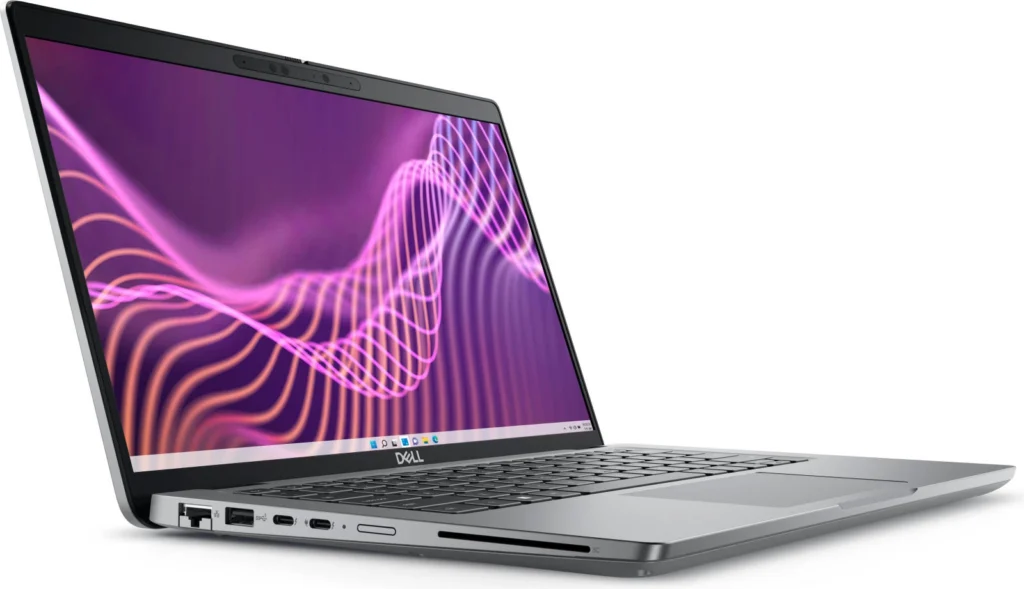
DELL Latitude 5440 Laptop Review: A Comprehensive Look
The DELL Latitude 5440 is a business-oriented laptop that aims to strike a balance between performance and affordability. It’s equipped with a 13th Gen Intel Core i7 processor, 8GB of RAM, and a 512GB SSD, making it a capable machine for everyday tasks, productivity apps, and even light content creation. In this review, we’ll delve into its features, performance, and overall value proposition to see if it’s the right fit for you.
Key Features of the DELL Latitude 5440
The DELL Latitude 5440 comes with a range of features designed to enhance your productivity and user experience:
- 14.0″ FHD Non-Touch IPS Display: Offers vibrant visuals and wide viewing angles for a comfortable viewing experience.
- Intel Core i7-1355U Processor: Delivers strong performance for everyday tasks, multitasking, and light content creation.
- 8GB RAM: Provides sufficient memory for smooth multitasking and efficient app performance.
- 512 GB SSD: Offers ample storage space for your files and applications, and fast loading times.
- Intel UHD Graphics: Handles basic graphics tasks and light gaming. It’s not suitable for demanding games, but sufficient for everyday needs.
- Backlit Keyboard: Enables comfortable typing even in low-light environments.
- Ubuntu OS: A popular open-source operating system known for its stability and security features.
- Durable Build: The laptop is built to withstand the rigors of daily use.
Performance and Battery Life
In terms of performance, the DELL Latitude 5440 delivers as expected. The Intel Core i7 processor handles multitasking efficiently, and the SSD ensures quick boot times and application loading. The 8GB RAM is sufficient for most everyday tasks, but power users might consider upgrading to 16GB for a smoother experience.
Battery life is decent, lasting around 6-8 hours on a single charge with moderate usage. However, heavy workloads and demanding applications may drain the battery faster. You’ll likely need to carry the charger if you’re on the go for extended periods.
Pros & Cons of the DELL Latitude 5440
Pros
- Powerful Intel Core i7 processor
- Spacious 512GB SSD for fast storage
- Bright and vibrant FHD display
- Durable build quality
- Affordable price point
Cons
- 8GB RAM might not be enough for demanding users
- Integrated graphics are not ideal for gaming or heavy graphics workloads
- Battery life could be better for long work sessions
Final Verdict: Is the DELL Latitude 5440 Right for You?
The DELL Latitude 5440 is a solid choice for students, professionals, and anyone looking for a reliable laptop for everyday tasks. It offers a good balance between performance and affordability. However, if you need more RAM or a dedicated graphics card, you might want to consider other options. Overall, it’s a decent laptop that delivers on its promise of productivity and reliability.
| Specification | Value |
|---|---|
| Processor | Intel Core i7-1355U |
| RAM | 8GB |
| Storage | 512 GB SSD |
| Display | 14.0″ FHD Non-Touch IPS |
| Graphics | Intel UHD Graphics |
| Operating System | Ubuntu |
| Keyboard | Backlit ENG-ARB |