


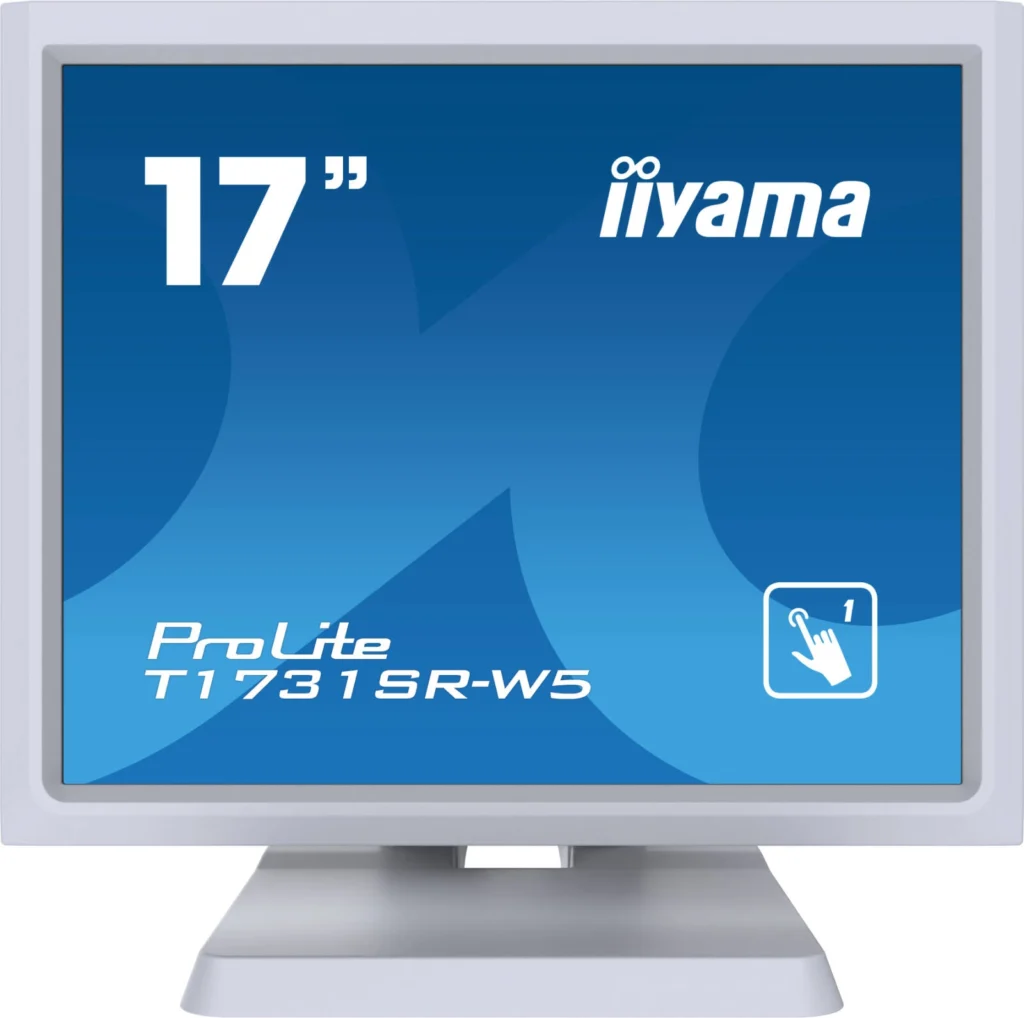
iiyama ProLite T1731SR-W5 Monitor Review: A Comprehensive Look
The iiyama ProLite T1731SR-W5 is a 17-inch SXGA TN LED display designed for users who need a reliable and touch-sensitive screen. In this review, we’ll delve into its features, performance, and overall user experience to see if it’s the right choice for you.
Table of Contents
Introduction
The iiyama ProLite T1731SR-W5 is a compact monitor targeted towards users who need a touchscreen display for various applications. It offers a combination of touch sensitivity, basic features, and a practical design, making it suitable for industries like retail, hospitality, and education.
Features
The ProLite T1731SR-W5 boasts a range of features, including:
- Serial Resistive Touch Technology: This technology allows for accurate touch input using styluses, fingers, or even gloves. This makes it versatile for various environments and user preferences.
- 17-inch SXGA TN LED Display: The monitor delivers a 1280 x 1024 resolution, providing a clear viewing experience for everyday tasks.
- Built-in Speakers: The integrated 2x 1W speakers offer decent audio quality for casual use.
- Multiple Input Options: With VGA, HDMI, and DisplayPort connections, the ProLite T1731SR-W5 offers flexibility in connecting to various devices.
- IP54 Front Protection: The IP54 rating on the front panel ensures resistance to dust and water splashes, making it suitable for demanding environments.
Performance
In terms of performance, the iiyama ProLite T1731SR-W5 performs well for its intended use. Here’s a breakdown:
- Touch Response: The touch response was accurate and responsive, with minimal lag. While not as fast as some premium touch screens, it was reliable for basic tasks.
- Image Quality: The TN LED panel delivers decent image quality for everyday tasks like browsing the web, working with documents, and even light video streaming. However, color accuracy is not as impressive as IPS panels.
- Viewing Angles: The viewing angles are typical for TN panels, meaning that color shifts can occur when viewed from the sides. This is something to consider if you need a monitor with wide viewing angles.
- Audio Quality: The built-in speakers are adequate for basic audio, but don’t expect high-fidelity sound. They are suitable for system alerts or casual listening.
Pros & Cons
To summarize, here are the key advantages and drawbacks of the iiyama ProLite T1731SR-W5:
Pros
- Reliable and responsive touch screen
- Compact and practical design
- Multiple input options for connectivity
- IP54 front protection for durability
- Affordable price point
Cons
- TN panel with limited viewing angles and color accuracy
- Average audio quality from the built-in speakers
- Limited adjustability (only tilt)
Final Verdict
The iiyama ProLite T1731SR-W5 is a solid choice for users who need a reliable and affordable touch screen for everyday tasks. Its strengths lie in its touch responsiveness, durability, and practical features. However, if you require superior image quality or wide viewing angles, an IPS panel may be a better option. Overall, the ProLite T1731SR-W5 delivers value for its price and is a good option for its target market.
Specifications
| Diagonal | 17″, 43cm |
|---|---|
| Panel | TN LED |
| Native resolution | 1280 x 1024 (1.3 megapixel) |
| Aspect ratio | 5:4 |
| Panel brightness | 250 cd/m² |
| Brightness with touch | 200 cd/m² |
| Light transmittance | 80% |
| Static contrast with touch | 1000:1 |
| Response time (GTG) | 5ms |
| Viewing zone | H/V: 170°/160° |
| Colour support | 16.7 million |
| Horizontal Sync | 31 – 80kHz |
| Viewable area W x H | 338 x 270mm, 13.3 x 10.6″ |
| Pixel pitch | 0.264mm |
| Bezel colour and finish | White, matte |
| Touch technology | Serial resistive |
| Touch points | 1 |
| Touch method | Stylus, finger, glove |
| Touch interface | USB |
| Supported operating systems | Windows, Linux |
| Analog signal input | VGA x1 |
| Digital signal input | HDMI x1, DisplayPort x1 |
| Audio output | Speakers 2 x 1W |
| HDCP | Yes |
| Water and dust protection | IP54 (front) |
| OSD key lock | Yes |
| OSD languages | EN, DE, FR, ES, IT, CN, JP |
| Control buttons | Menu, Scroll up/Brightness, Scroll down/Mute, Select, Power |
| User controls | Contrast, brightness, lock mode, auto adjust, OSD, H/V position, H-size, fine, OSD H/V position, reset, input select, OSD language, colour temperature, volume, mute |
| Convenience | Kensington-lock™ prepared |
| Plug&Play | DDC2B |
| Tilt angle | 90° up; 5° down |
| VESA mounting | 100 x 100mm |
| Cable management system | Yes |
| Cables | Power, USB, HDMI, Audio, DP |
| Guides | Quick start guide, safety guide |
| Other | Touch Panel Driver Disk (CD-ROM), Cable cover |
| Power supply unit | Internal |
| Power supply | AC 100-240V, 50Hz |
| Power usage | 20W typical, 2W stand by, 2W off mode |
| Regulations | CB, CE, GOST, RoHS, ErP, WEEE, VCCI, REACH |
| Energy efficiency class | E |
| REACH SVHC | Above 0.1%: Lead, Lead monoxide, Boric acid |
| Product dimensions W x H x D | 387 x 342 x 201mm |
| Weight (without box) | 5.8kg |
| EAN code | 4948570116027 |